The Security Headers Every Website Needs (And Why Most Are Missing Them)
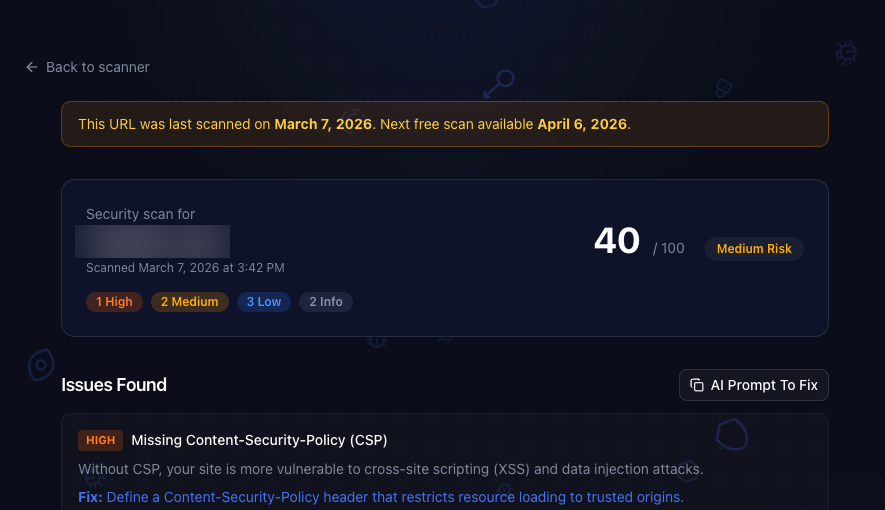
Here's a fun experiment. Go scan your website with our free security scanner right now. We'll wait.
Back? If you're like 90% of the sites we've scanned, you just got a list of missing security headers. Don't worry. You're in good company. Most developers have never heard of half of these.
The good news: every single one takes about five minutes to fix.
What Are Security Headers, Anyway?
Security headers are HTTP response headers that tell the browser how to behave when handling your content. Think of them as instructions you're giving to the browser: "don't let anyone iframe me", "only load scripts from my domain", "always use HTTPS."
Without them, you're basically leaving the front door unlocked and hoping nobody notices.
They protect against:
- Cross site scripting (XSS) where attackers inject malicious scripts into your pages
- Clickjacking where your site gets embedded in a hidden iframe to trick users
- Data injection where browsers get confused about file types and execute things they shouldn't
- Interception attacks where someone reads or modifies traffic between your user and your server
The kicker? Adding them is trivially easy. You're about to wonder why you didn't do this ages ago.
The Six Headers You Need
1. Strict-Transport-Security (HSTS)
This one's the bouncer at the door. It tells browsers: "only talk to me over HTTPS. Period. No exceptions."
Without it, an attacker can intercept that first HTTP request before your server redirects to HTTPS. It's called a downgrade attack, and it's embarrassingly easy to pull off on public WiFi.
Strict-Transport-Security: max-age=31536000; includeSubDomains; preload
The
preloaddirective is the real power move. It gets your domain hardcoded into Chrome, Firefox, and Safari's built-in HSTS list. That means even the very first visit is protected, before your server ever responds.
2. Content-Security-Policy (CSP)
CSP is your strongest weapon against XSS. It tells the browser exactly which domains are allowed to serve scripts, styles, images, and other resources on your page.
If an attacker manages to inject a <script> tag pointing to their server, the browser just ignores it. Game over for the attacker.
Content-Security-Policy: default-src 'self'; script-src 'self'; style-src 'self' 'unsafe-inline'
Start strict and loosen as needed. A CSP that allows everything is like a lock on a door that's already wide open.
3. X-Frame-Options
Ever heard of clickjacking? An attacker loads your site in an invisible iframe, overlays it with something tempting ("Click here to win an iPhone!"), and the user unknowingly clicks buttons on your site.
This header kills that attack entirely.
X-Frame-Options: DENY
One line. That's it. No reason not to add it.
4. X-Content-Type-Options
Browsers try to be helpful by guessing what type of file they're looking at. This is called MIME sniffing, and it's a security nightmare. An attacker can disguise executable content as an innocent file type and the browser will happily run it.
X-Content-Type-Options: nosniff
This tells the browser: "trust the Content-Type header I sent you. Don't guess."
5. Referrer-Policy
Every time a user clicks a link on your site, the browser sends the full URL of your page to the destination. That might include session tokens, user IDs, or other sensitive data in the URL path.
Referrer-Policy: strict-origin-when-cross-origin
This keeps the domain visible (so analytics still work) but strips the path and query string when navigating to external sites.
6. Permissions-Policy
Your website probably doesn't need access to the camera, microphone, or geolocation. But unless you explicitly say so, the browser assumes you might.
Permissions-Policy: camera=(), microphone=(), geolocation=()
Disable what you don't use. It's the principle of least privilege applied to browser APIs.
Okay, How Do I Actually Add These?
The implementation depends on your stack. Here are the three most common.
Next.js
Add a headers() function in next.config.js:
async headers() {
  return [
    {
      source: "/(.*)",
      headers: [
        { key: "Strict-Transport-Security", value: "max-age=31536000; includeSubDomains; preload" },
        { key: "Content-Security-Policy", value: "default-src 'self'; script-src 'self'" },
        { key: "X-Frame-Options", value: "DENY" },
        { key: "X-Content-Type-Options", value: "nosniff" },
        { key: "Referrer-Policy", value: "strict-origin-when-cross-origin" },
        { key: "Permissions-Policy", value: "camera=(), microphone=(), geolocation=()" },
      ],
    },
  ];
}
Nginx
add_header Strict-Transport-Security "max-age=31536000; includeSubDomains; preload" always;
add_header X-Frame-Options "DENY" always;
add_header X-Content-Type-Options "nosniff" always;
add_header Referrer-Policy "strict-origin-when-cross-origin" always;
add_header Permissions-Policy "camera=(), microphone=(), geolocation=()" always;
Vercel
Use the Next.js config above, or add a headers array in vercel.json. Both work.
But Headers Are Just the Surface
Here's the thing. Security headers protect your public facing surface. They're important, and you should absolutely add them.
But they can't see what's happening inside your codebase. They won't catch that npm dependency with a known vulnerability. They won't find the AWS key someone committed to the repo six months ago. They won't flag the SQL injection hiding in your API routes.
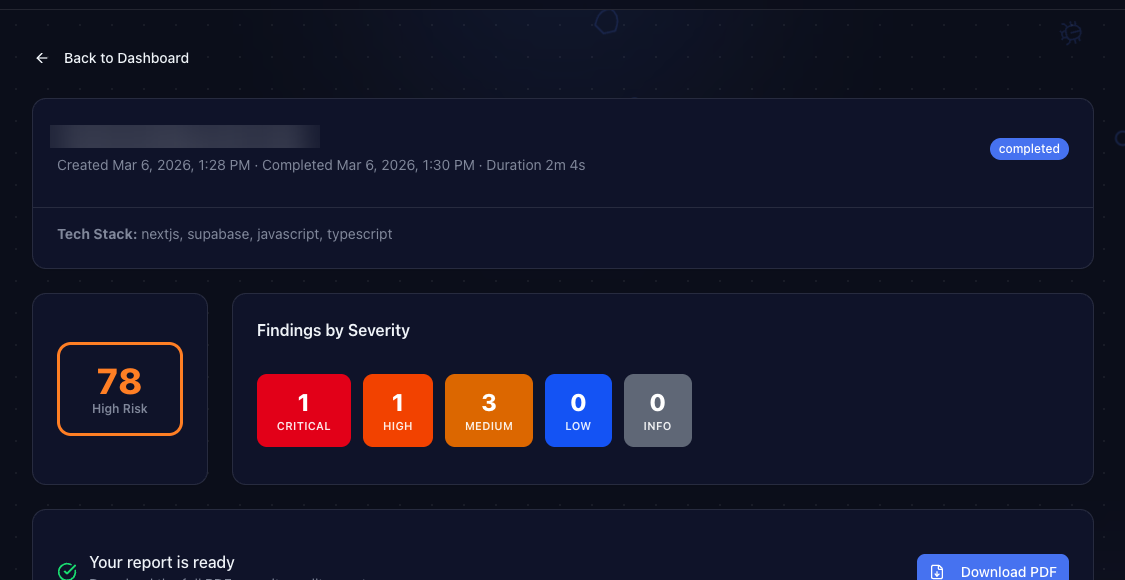
That's what a full codebase audit is for. ShipShield connects to your GitHub repo and scans everything: source code, dependencies, secrets, infrastructure configs, and more. It takes about four minutes and costs $25.
The Quick Checklist
Before you ship your next deploy, make sure you have all six:
- [ ]
Strict-Transport-Security(HSTS) - [ ]
Content-Security-Policy(CSP) - [ ]
X-Frame-Options - [ ]
X-Content-Type-Options - [ ]
Referrer-Policy - [ ]
Permissions-Policy
Missing even one of these leaves a gap. And gaps are what attackers look for.
Check Your Site in 10 Seconds
Not sure where you stand? Run your site through ShipShield's free scanner. It checks all six headers (plus SSL, exposed files, DNS, CORS, and more) in about ten seconds. No signup required.
If headers are your only issue, you'll be done in five minutes. If the scan finds something deeper, the full codebase audit has you covered.
Ship secure. Ship confident.
Secure Your Codebase
ShipShield scans your entire codebase for vulnerabilities, misconfigurations, leaked secrets, and outdated dependencies. Get a full security audit in minutes.